

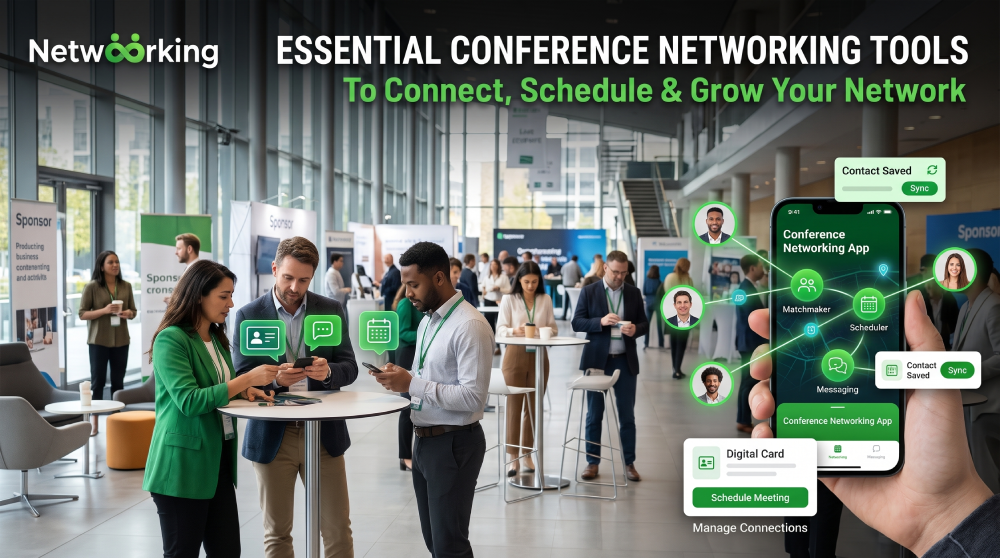
Attending a conference offers opportunities to meet industry experts, discover potential partners, and build professional relationships. However, managing contacts, scheduling meetings, and following up can become challenging without the right resources.
The right networking tools help attendees find relevant people, organize conversations, and maintain connections beyond the event. Whether you're attending a business summit or a startup gathering, choosing practical tools can make your networking experience more productive.
Digital Tools for Finding Relevant Contacts
A conference networking app helps attendees browse participant profiles, discover shared interests, send messages, and arrange meetings. Many apps also include event schedules and personalized recommendations, making it easier to identify people worth connecting with.
LinkedIn is another useful resource for researching speakers and attendees before an event. Reviewing professional profiles helps you prepare relevant questions and start more natural conversations.
These networking tools are particularly valuable at large conferences where meeting everyone is unrealistic. Focus on identifying professionals whose expertise or goals align with yours.
Contact Management and Follow-Up
Meeting someone is only the beginning of a professional relationship. You also need a reliable way to remember conversations and follow up afterward.
Contact management software, digital address books, and simple spreadsheets can help you record names, professional interests, discussion points, and planned next steps.
For example, after meeting a potential business partner, add a short note about your discussion and schedule a reminder to reconnect within a few days.
Effective conference networking tips include personalizing follow-up messages rather than sending identical requests to every contact. A brief message referencing your conversation can help establish a stronger connection.
Scheduling and Communication Platforms
Scheduling tools simplify the process of arranging one-to-one meetings around conference sessions. Calendar applications can help you manage appointments, avoid overlapping commitments, and receive reminders.
Video conferencing platforms are useful when a connection wants to continue the conversation remotely. Messaging applications can also support ongoing discussions when both parties prefer them.
A reliable event networking platform may combine attendee matching, messaging, meeting scheduling, and event information in one place. Before choosing one, check its integrations, ease of use, privacy settings, and pricing.
Tools for Virtual and Hybrid Events
Virtual and hybrid conferences require additional resources to connect remote participants with speakers and other attendees.
Useful options include virtual meeting rooms, breakout sessions, attendee directories, live chat, and collaborative whiteboards. These features encourage interaction instead of limiting participants to watching presentations.
Organizers should test their technology before the event and provide clear instructions. Attendees should update their profiles, check their equipment, and prepare questions to make online conversations more engaging.
How to Choose the Right Tools
The best setup depends on your goals, event size, and budget. You may need only LinkedIn and a calendar for a small gathering, while a large international event may benefit from an integrated networking platform.
Prioritize tools that are easy to use, protect personal information, and solve specific problems. Avoid adopting multiple applications that perform the same functions.
Most importantly, remember that technology supports relationships; it cannot replace genuine interest, active listening, and thoughtful communication.
Conclusion
The right networking tools can simplify contact management, improve meeting scheduling, and help professionals discover relevant connections. By combining digital platforms with personalized conversations and consistent follow-up, you can make conferences more productive and build relationships that continue long after the event.
Frequently Asked Questions
1. What are the most useful conference networking tools?
Attendee apps, LinkedIn, calendar applications, contact managers, and video conferencing platforms are useful options.
2. Are free networking tools sufficient?
Yes. Free tools may be enough for individuals and small events, depending on their networking needs.
3. How can I organize contacts after a conference?
Record each person's details, interests, and conversation points, then schedule personalized follow-ups.
4. Do virtual conferences require different networking tools?
They often benefit from video meetings, breakout rooms, live chat, and virtual attendee directories.
Get the next article in your inbox
Stay updated with practical insights, product updates, and networking tips — delivered straight to your inbox.
